


أحدث اصدار
إصدار
7.5
7.5
تاريخ الاصدار
أغسطس 05, 2023
أغسطس 05, 2023
مطور
NERVE DEVE
NERVE DEVE
فئات
Tools
Tools
المنصات
Android
Android
التحميلات
1
1
السعر
Free
Free
الإبلاغ عن مشكلة
الإبلاغ عن مشكلة
الإبلاغ عن مشكلة
المزيد عن Screen Mirroring for Mi TVlication
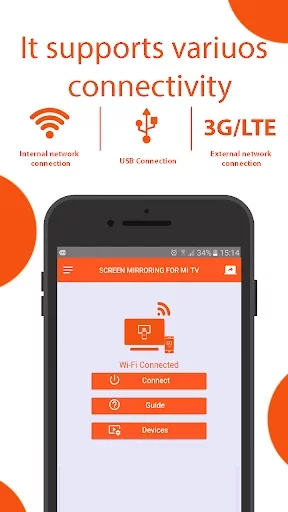
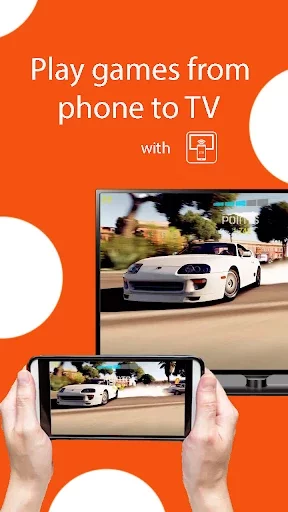
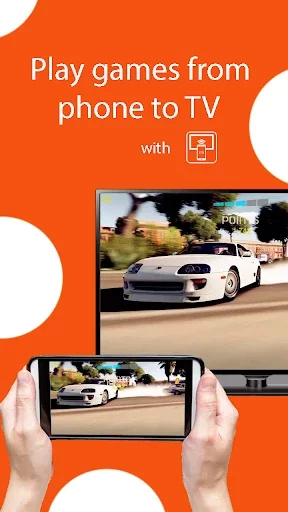
Screen Mirroring Mi Tv is one of the best apps that can connect any mobile to a Xiaomi mi TV within seconds. This Cast to TV app is a simple tool that allows you to display the screen of the Android mobile on the TV screen. This application makes it so easy to broadcast the mobile screen to the Mi TV that anyone can connect their mobile to Mira Cast xiaomi tv without any difficulty.
This is the best cast Mi tv - Smart View, which helps Chromecast screen mirroring Xiaomi mi Tv, gives you a big mirror experience that you can share on a small screen on a bigger screen, including web video streaming, image streaming, audio streaming , live sharing and you can stream any web or local files of your choice.
How to use screen duplication:
1.Make sure the Mi TV and phone are connected to the same Wi-Fi network
2. Turn on "Miracast Display" on the TV
3. Turn on "Wireless Display" on the phone
4. Click connect to your TV
5. Enjoy anyview broadcasting on your Mi TV
This Wireless display Xiaomi TV application works with any device with a built-in web browser, such as Samsung TV, LG TV, Panasonic TV, Hisense TV, Philips TV, Hitachi TV, Grundig TV and TCL TV.
Xiaomi Mi Tv screen mirror is an easy phone to broadcast on TV, sharing videos, images, audio and local online documents is supported. In addition, this smart mirroring mi tv is a user-friendly screen sharing tool that can be broadcast by connecting to Wi-Fi.
The Xiaomi TV Mirror screen is simple to use and, best of all, it's free!
Please do not hesitate to contact us if you have any issues with your device.
Please contact us at [email protected] and we will be pleased to help you!
How to use screen duplication:
1.Make sure the Mi TV and phone are connected to the same Wi-Fi network
2. Turn on "Miracast Display" on the TV
3. Turn on "Wireless Display" on the phone
4. Click connect to your TV
5. Enjoy anyview broadcasting on your Mi TV
This Wireless display Xiaomi TV application works with any device with a built-in web browser, such as Samsung TV, LG TV, Panasonic TV, Hisense TV, Philips TV, Hitachi TV, Grundig TV and TCL TV.
Xiaomi Mi Tv screen mirror is an easy phone to broadcast on TV, sharing videos, images, audio and local online documents is supported. In addition, this smart mirroring mi tv is a user-friendly screen sharing tool that can be broadcast by connecting to Wi-Fi.
The Xiaomi TV Mirror screen is simple to use and, best of all, it's free!
Please do not hesitate to contact us if you have any issues with your device.
Please contact us at [email protected] and we will be pleased to help you!
قيم التطبيق
أضف تعليقًا ومراجعة
مراجعات المستخدمين
Based on 0 reviews
لم تتم إضافة أي تعليقات حتى الآن.
لن تتم الموافقة على نشر التعليقات إذا كانت رسائل غير مرغوب فيها أو مسيئة أو خارج الموضوع أو تستخدم لغة بذيئة أو تحتوي على هجوم شخصي أو تروج للكراهية من أي نوع.
المزيد »

تطبيقات رائجة

مترجم كل اللغات - مترجم صوتيOffice Tools- PDF Document Reader_Music Player MP3

Twitter - التويترX Corp.
واتساب مسنجرWhatsApp LLC
Emojikey: ايموجي كيبورد ,GIFPhoto - Picture keyboard
Google ChromeGoogle LLC
Tevegram: Telegram for TVnot.a.bug

MessengerMeta Platforms, Inc.

TelegramTelegram FZ-LLC

Stars Messenger Kids Safe ChatConnect Works

Threads, an Instagram appInstagram